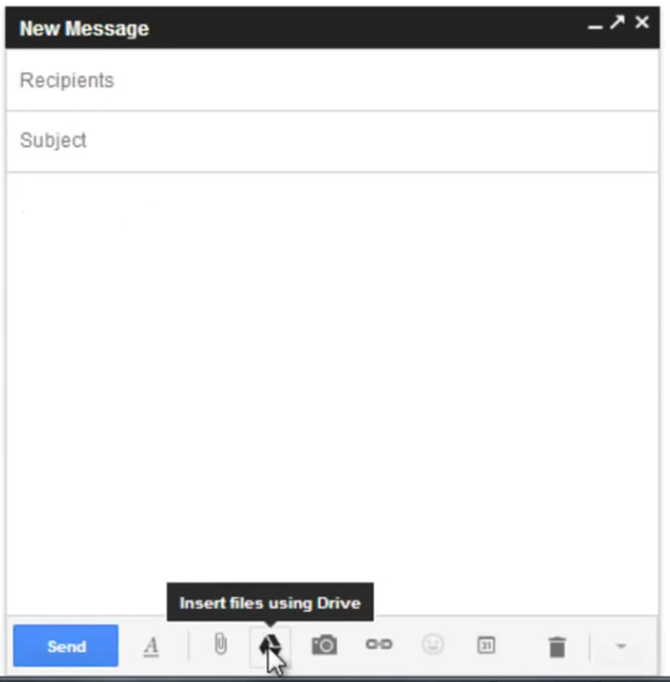
With the new compose experience, you can now attach a Google Drive file to your Gmail message, just like your traditional email services. To get started:
- Open a Gmail message with the new Compose Window
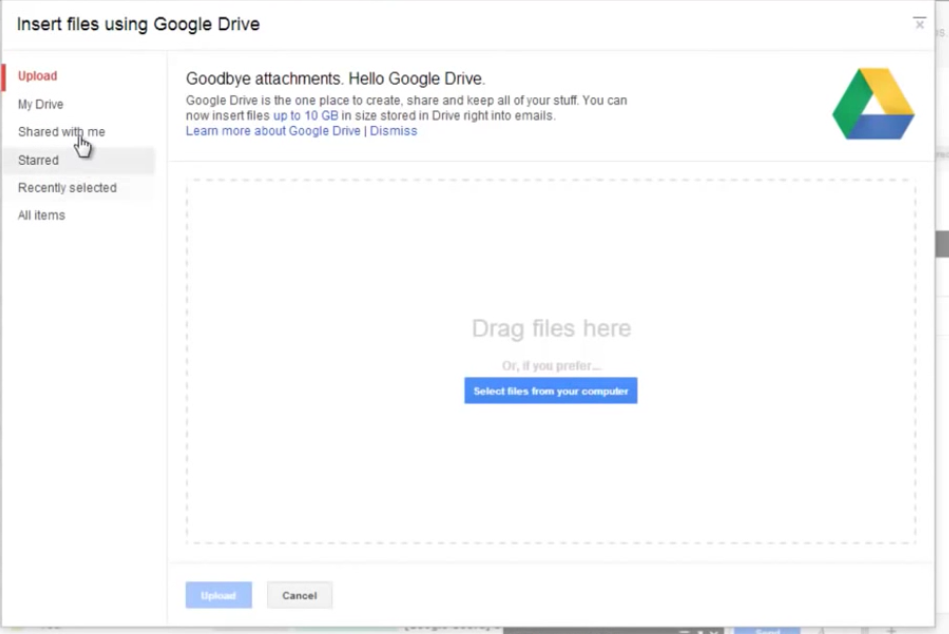
- Click on the Google Drive icon (says 'Insert files using Drive' when you hover over it)
- Choose your file and you're all done!
Free IT Assessment
Not sure where your IT stands? Get a free, no-obligation assessment of your infrastructure, security, and cloud setup.
Get Your Free Assessment →