Gmail
Google Drive
Guides
How to Attach Google Drive Files in Gmail
With the new compose experience, you can now attach a Google Drive file to your Gmail message, just like your traditional email services. To get started:
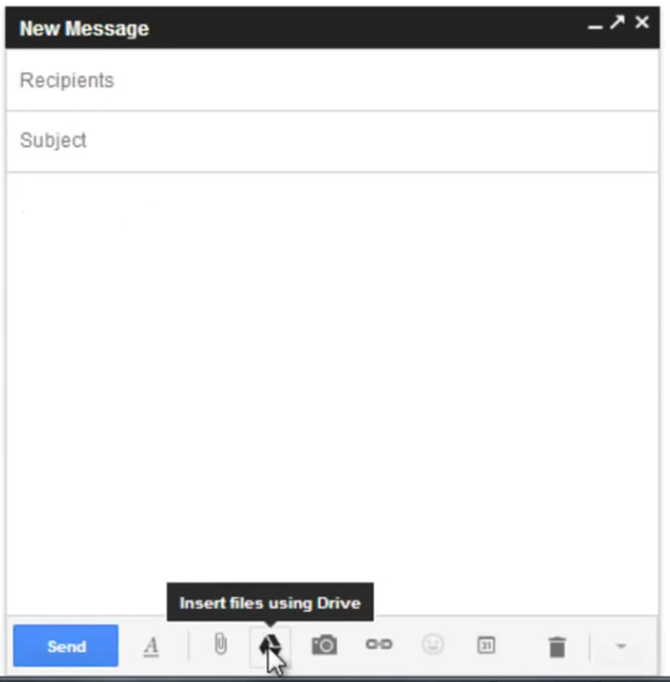
- Open a Gmail message with the new Compose Window
- Click on the Google Drive icon (says 'Insert files using Drive' when you hover over it)
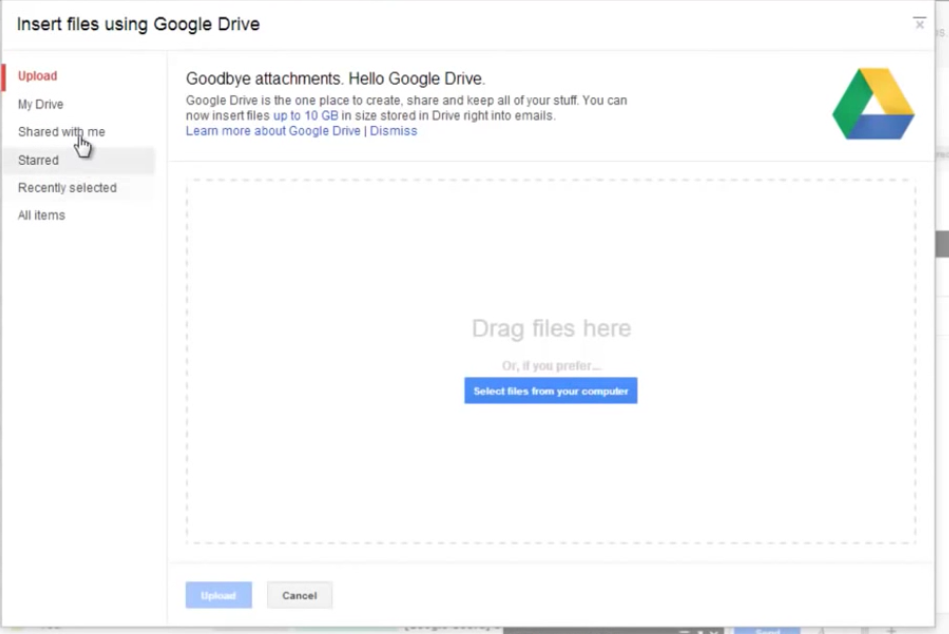
- Choose your file and you're all done!